How to Put Your Car in Tesla’s Roadster Flip With AI (I Did the Scooby-Doo Van)
Tesla kickflipped a Roadster over a Semi on October 15. I put the in its place for about $6, using on .

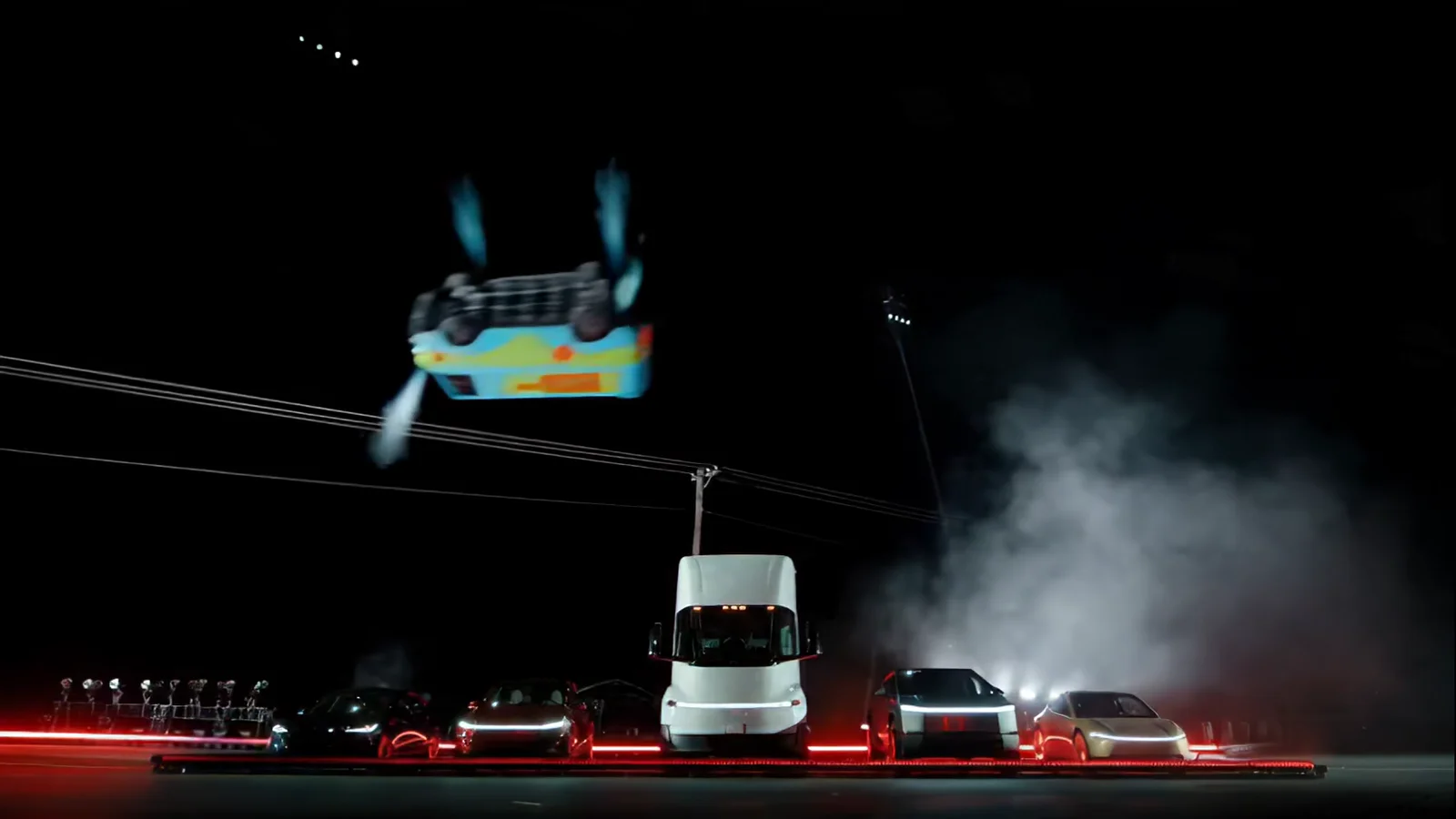
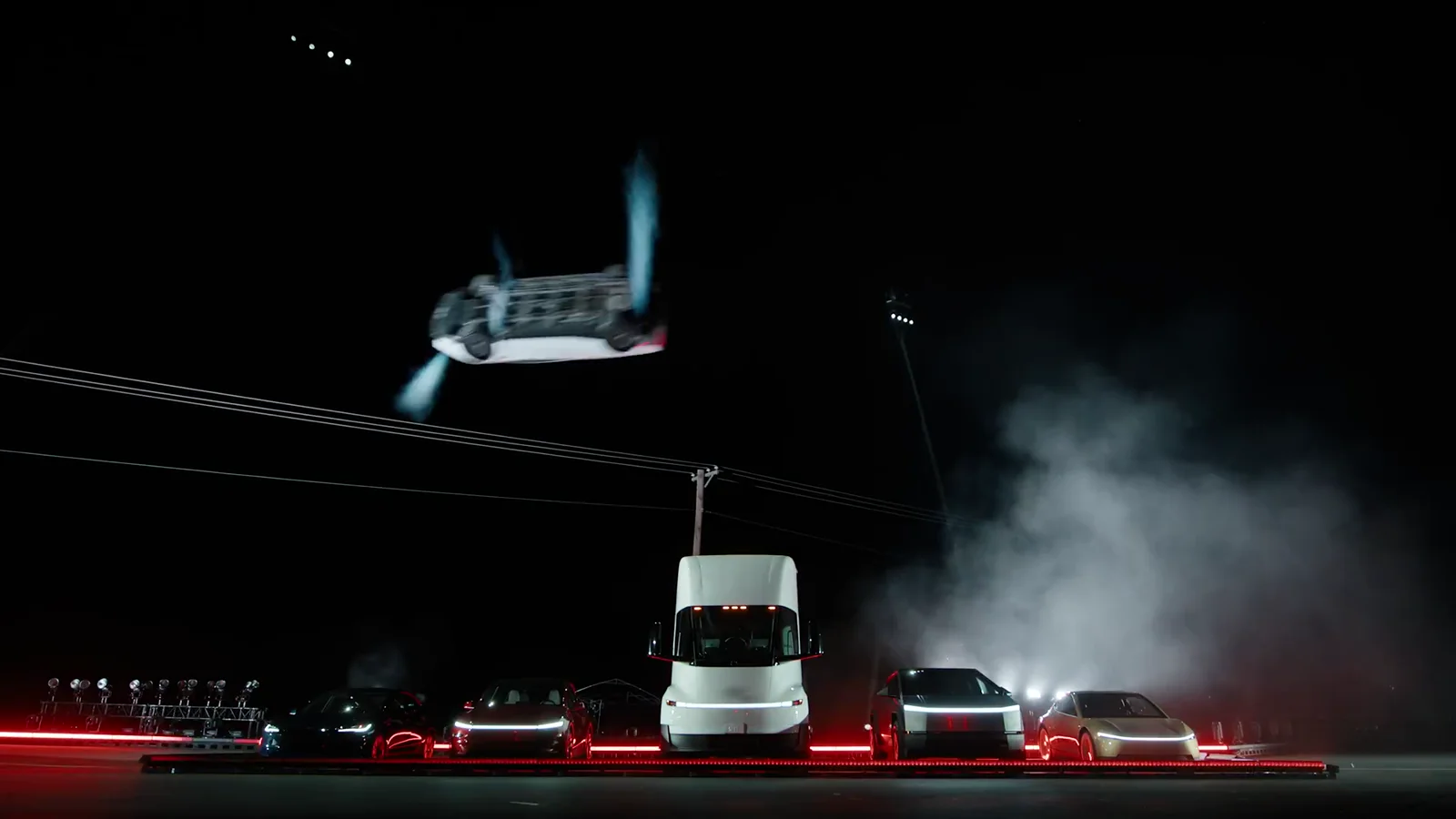
Here’s how you can do it too using AI, without a monthly subscription.
One clip or the whole thing?
Get the clip.
Download Tesla’s original kickflip video from X (learn how to download it).
Easier way: screen-record it while it plays, then trim the ends. On iPhone, use Screen Recording in Control Center. On a Mac, open QuickTime and pick New Screen Recording.
Then cut one piece:
- The flip: 0:06.3 to 0:12.1, the front angle: launch, flip over the Semi, landing
Want the barrel roll instead? Cut 0:12.1 to 0:16.3 and pick piece 2 in the prompt builder.
Then cut three pieces, one per camera angle:
- Piece 1: 0:06.3 to 0:12.1, the front angle
- Piece 2: 0:12.1 to 0:16.3, the wide angle
- Piece 3: 0:14.7 to 0:18.8, the drive-off (you only keep the last 1.4 seconds)
Get photos of your vehicle.
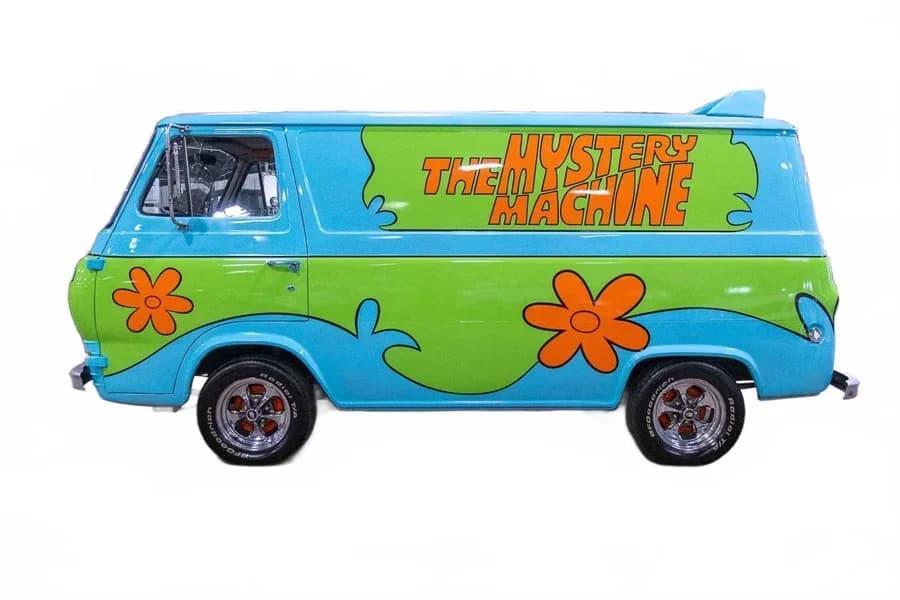
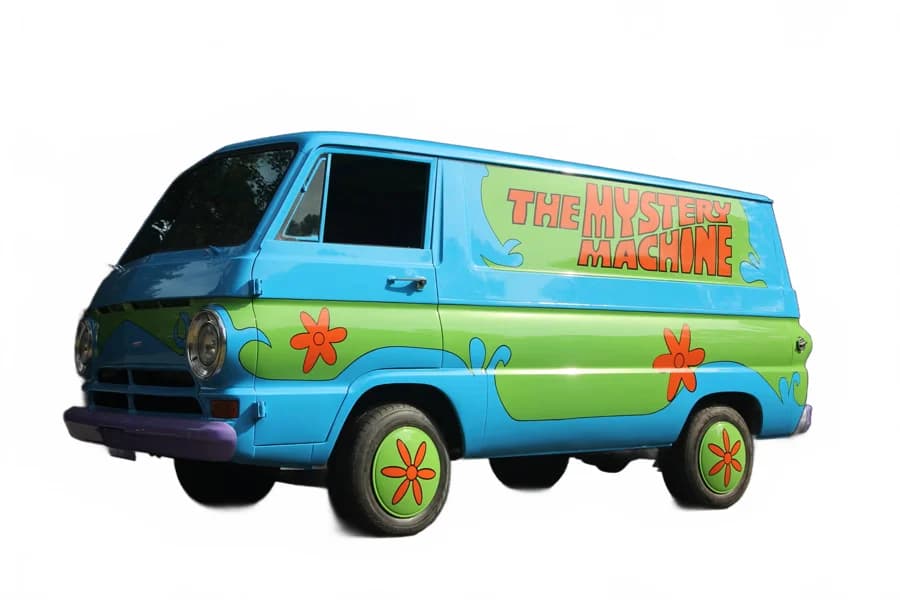
Two angles: a side view and a front three-quarter view. Car, van, truck, whatever.
Use Replicate’s Seedance.
Use . I tested others and they were crap. Kling, for example, drew a near-perfect van, then turned it back into a Roadster mid-flip. Replicate charges per run, no subscription.
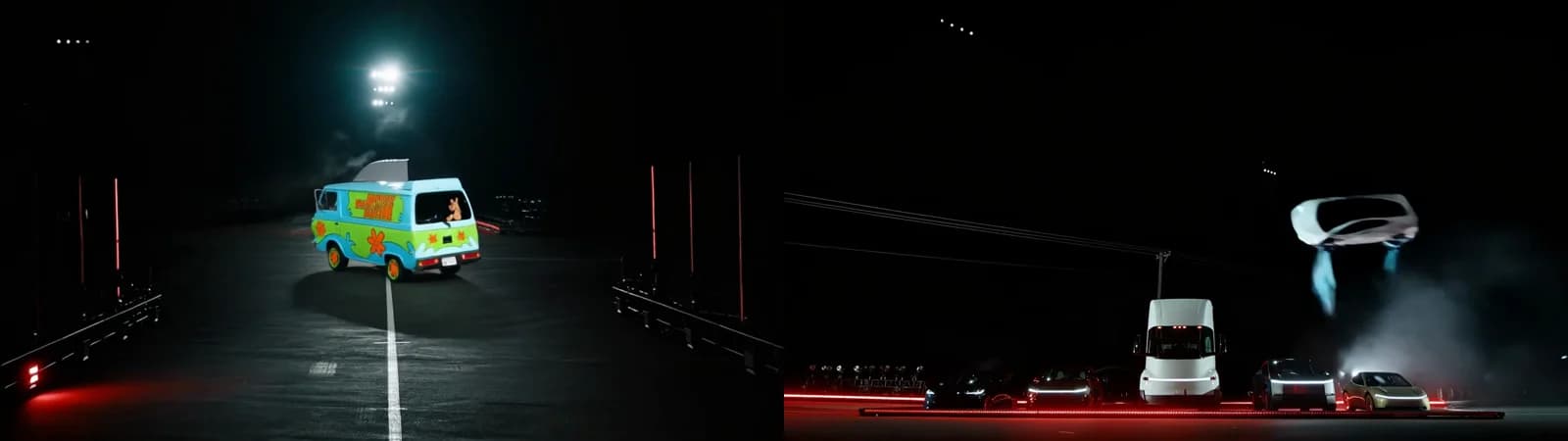
What I put into Replicate
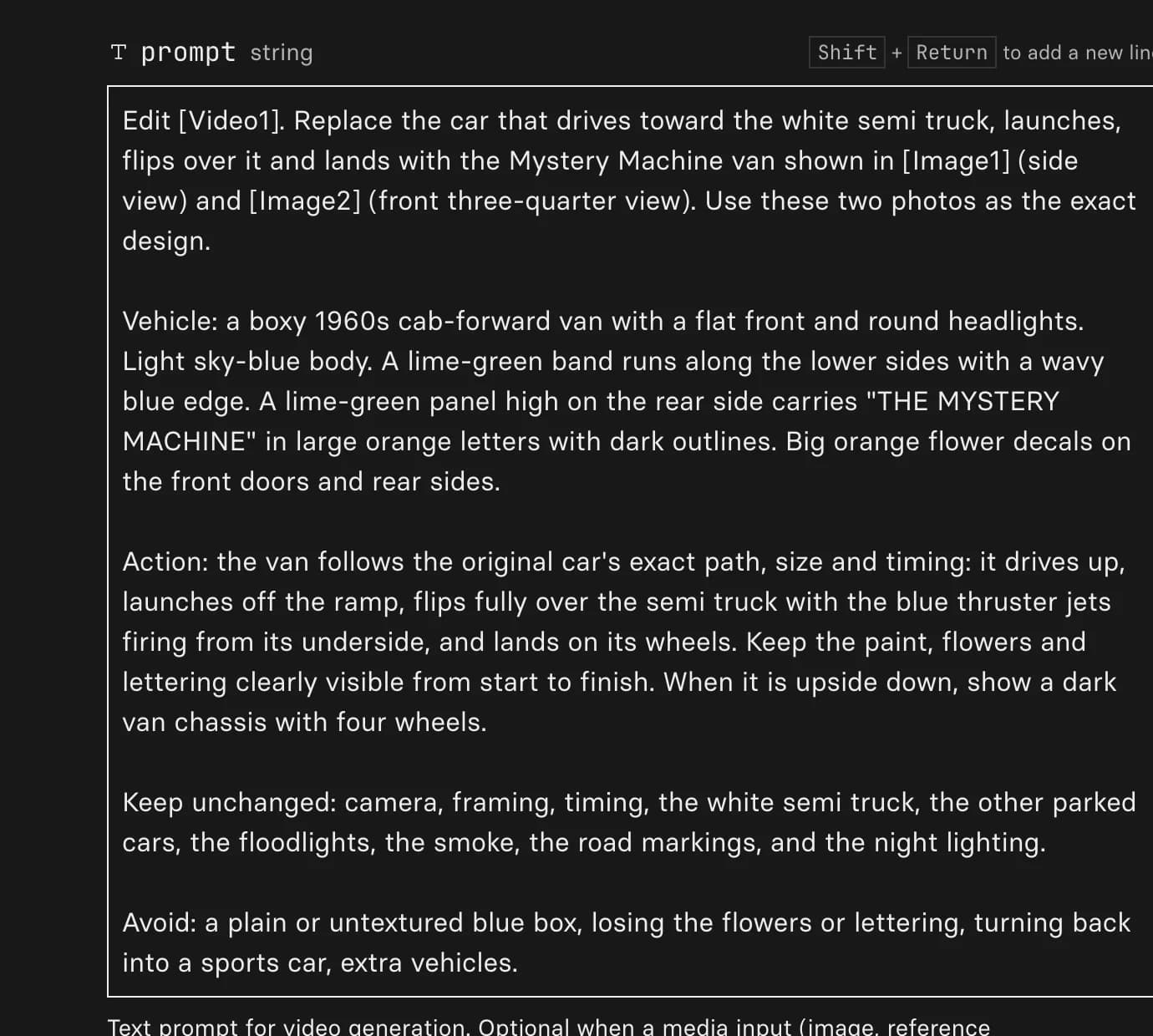
Your inputs, ready to paste
Type in your vehicle, pick the piece, and copy each field into the Seedance form.
Paste these into Replicate for piece 1: front angle
promptEdit [Video1]. Replace the car that drives toward the white semi truck, launches, flips over it and lands with the Mystery Machine van, shown in [Image1] (side view) and [Image2] (front three-quarter view). Use these two photos as the exact design. Vehicle: a boxy 1960s cab-forward van with a flat front and round headlights. Paint: a light sky-blue body, a lime-green band along the lower sides, "THE MYSTERY MACHINE" in orange letters, and big orange flower decals. Action: it follows the original car's exact path, size and timing: it drives up, launches off the ramp, flips fully over the semi truck with the blue thruster jets firing from its underside, and lands on its wheels. Keep the paint, logos and decals clearly visible from start to finish. When it is upside down, show a dark chassis with four wheels. Keep unchanged: the camera, framing, timing, the white semi truck, the other parked cars, the floodlights, the smoke, the road markings and the night lighting. Avoid: a plain or untextured shape, losing the logos or decals, turning back into a sports car, extra vehicles.
reference_videosUpload piece 1 (0:06.3 to 0:12.1)
reference_imagesUpload your two photos
aspect_ratioadaptiveduration-1resolution480pThat’s it
- Download: grab the result from Replicate when it finishes, in about 3 minutes
- Optional: the Topaz upscaler on Replicate takes it to 1080p for about 10 cents
Put it back together
- Order: piece 1, piece 2, Tesla’s 1 second of smoke (0:16.3 to 0:17.3), then the end of piece 3
- Timing: stretch each piece to its original length and use Tesla’s audio. CapCut or iMovie works.
- Upscale: the Topaz upscaler on Replicate takes it to 1080p for about 30 cents
Quick answers
Cut Tesla's kickflip clip into three pieces (0:06.3 to 0:12.1, 0:12.1 to 0:16.3 and 0:14.7 to 0:18.8), run each through Seedance 2.5 on Replicate with two photos of your car and a prompt that describes its paint, then put the pieces back together over Tesla's audio.
About $6 at 480p if every piece works on the first try: roughly 14 seconds of Seedance 2.5 editing at $0.43 a second, plus about 30 cents to upscale to 1080p. At 720p the editing runs about $13.50.
Yes. Cut 0:06.3 to 0:12.1 of Tesla's video (the launch and flip over the Semi), run it once through Seedance 2.5 with your photos, and you're done for about $2.50. No stitching.
Yes. Tesla flew a prototype Roadster over a line of its own cars at SpaceX’s site in McGregor, Texas on October 15, 2026, in front of a live crowd. My Mystery Machine version is the AI one.
An AI video model from ByteDance, the company that owns TikTok. Give it a video and a few photos, and it redraws the video with your vehicle while keeping the camera, motion and lighting. It runs on Replicate for about 43 cents per second of video at 480p.
Seedance 2.5 held the swap through the whole flip. Kling v3 Omni was cheaper and drew a near-perfect van in the first frame, then turned back into the Roadster once it launched.
For a few videos a month, yes, because there is no monthly fee. Higgsfield plans run about $19 to $129 a month according to third-party pricing guides. If you make dozens of videos a month, a subscription can cost less per video.
No. Every model on Replicate has a web form. To put the pieces back together, CapCut or iMovie is enough.
I used it for a parody. For an ad or anything you sell, use footage and vehicles you have the rights to. This is not legal advice.

Marketing Strategist & AI Expert